
Paper lists stay home. Group chat lists get buried
Someone notices the coffee is gone, posts it in the family chat, the message gets buried and the coffee never shows up. And the list on the fridge is always right there when you're standing in the grocery store.
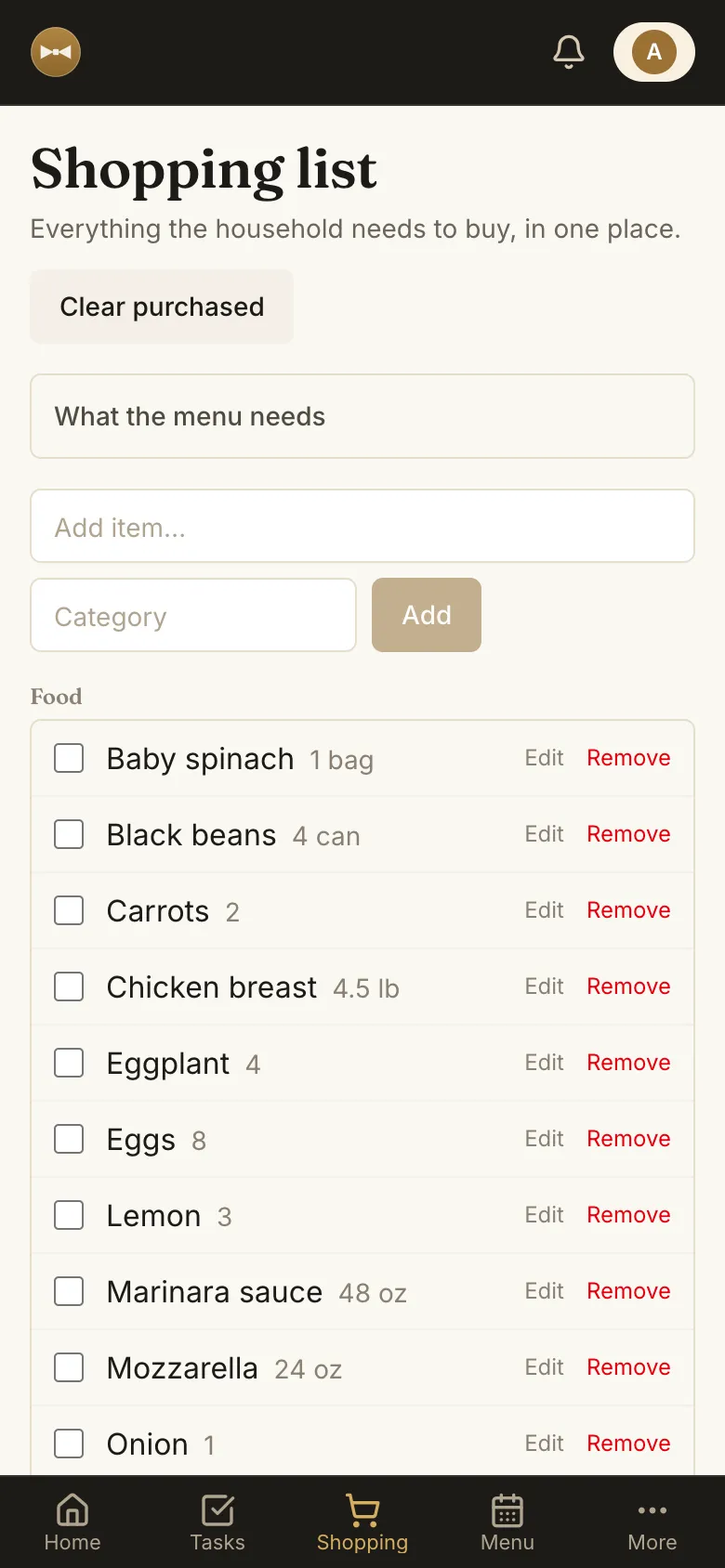
A shared list fixes that: everyone sees and edits the same list, and whoever is shopping checks off what's in the cart.
How Alf helps
Shared with everyone at home
Invite your household and everyone adds and checks off items on the same list.
Organized by category
Items grouped by category, with quantity, unit and notes. Fewer laps around the aisles.
Connected to the meal plan
See what the week's or the day's plan needs and add it all at once.
Cleared after shopping
Check off what you bought and clear the list with one tap.
Frequently asked questions
How do I share a grocery list with my family?
Create your account, invite the people you live with to your household, and everyone sees and edits the same list.
Does the list pull ingredients from the meal plan?
Yes. The "What the meal plan needs" section shows the ingredients of recipes planned for the week or day, and you can add them one by one or all at once.
Does it work on my phone?
Yes. Alf works in your phone's browser, no install needed.
How much does it cost?
Creating an account is free and doesn't require a card.